
1 / 10
MYETERN / Software engineering
Connect system design to implementation
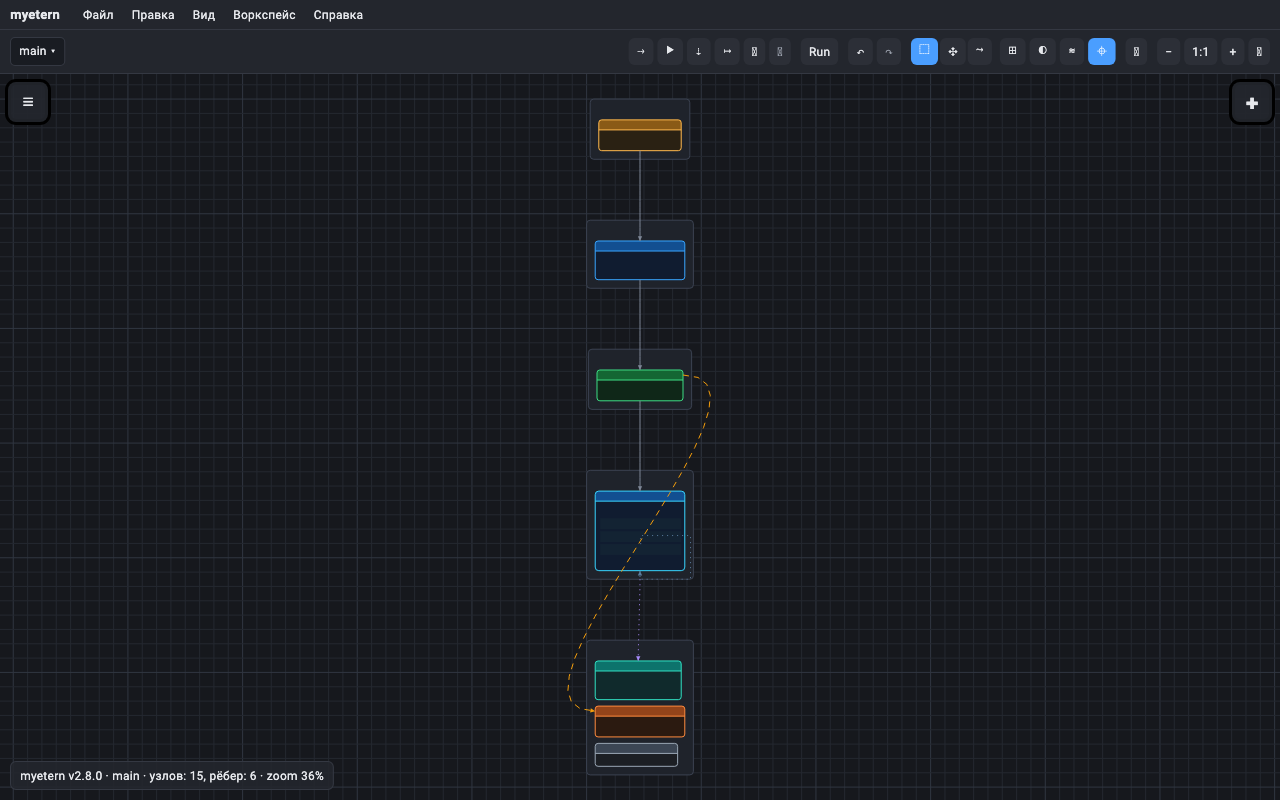
One project, several connected views.
- Architecture explains the system. Data models and APIs define its structure. Code and jobs connect the model to implementation.
- A shared canvas helps teams review dependencies and understand the context of changes.
MYETERN / Software engineering
Structure → connections → results
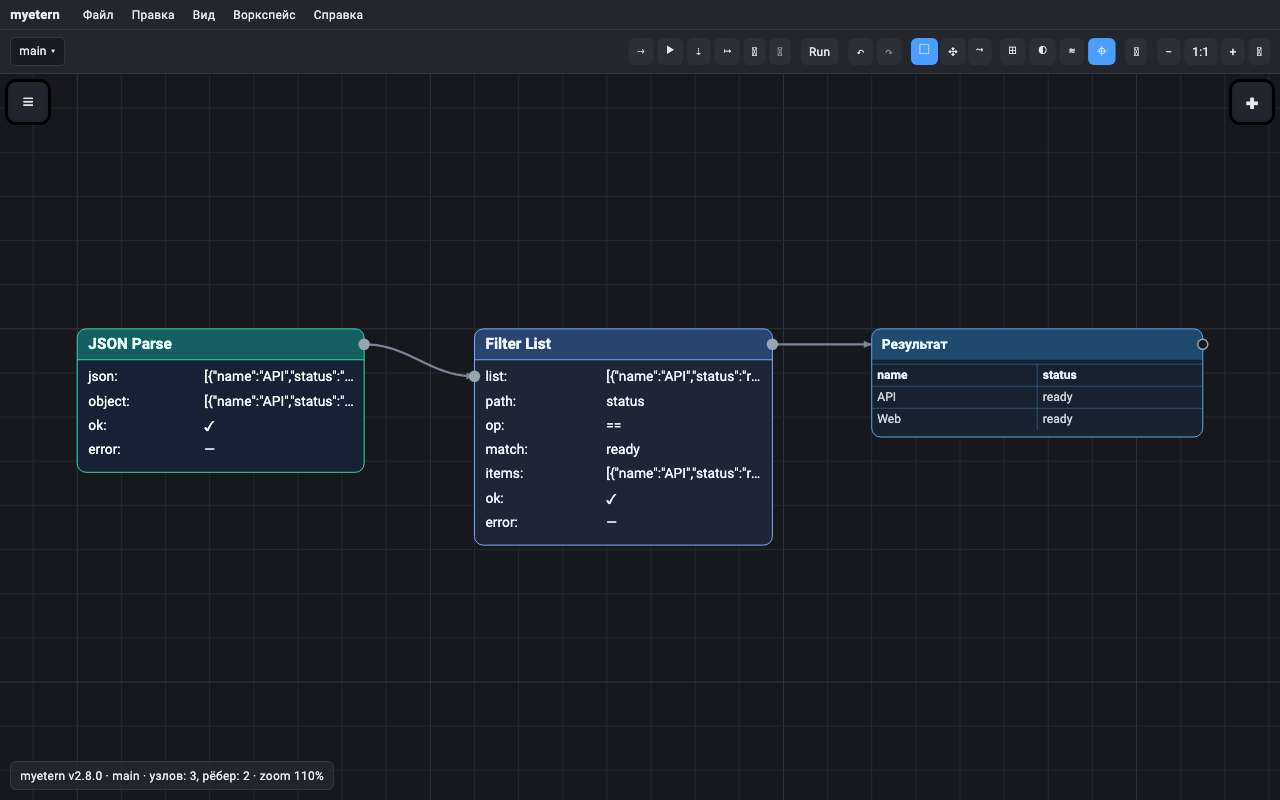
A model you can work with.
- Nodes hold typed fields and values.
- Connections pass data and define dependencies.
- Executable graphs describe the order of actions.
MYETERN / Software engineering
System design
Architecture and requirements in project context.
- Bring components, data structures and APIs onto one canvas.
- Use layers for project areas and connections for dependencies.
- Outcome: a system model your team can review and refine.
MYETERN / Software engineering
Data and automation
From input data to a result you can inspect.
- Connect sources, define transformations and inspect output tables.
- Combine branches, loops and actions in executable workflows.
- Outcome: a visible data processing pipeline.
MYETERN / Software engineering
From definitions to code and documentation
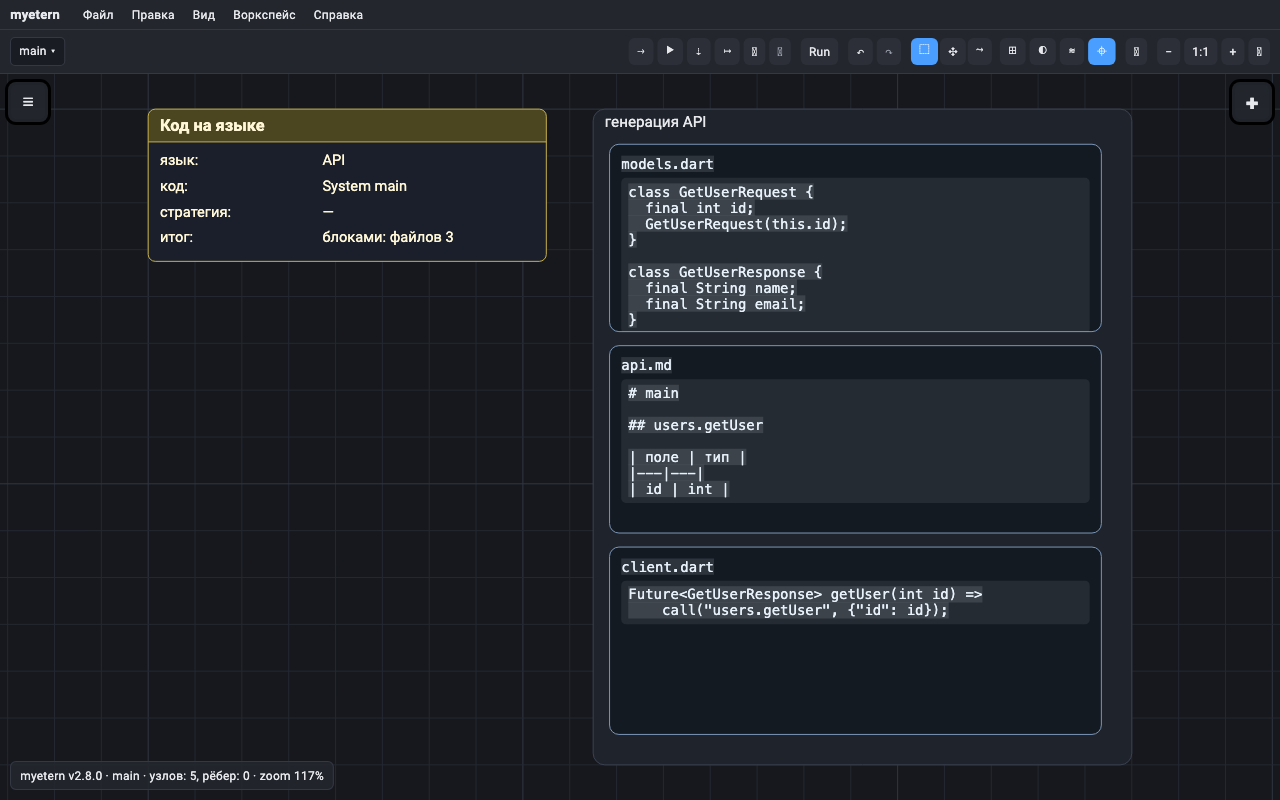
Parsing and generation rules as part of the model.
- f2plw languages describe how text becomes structure and how output files are generated.
- Work with supported API definitions, structures and templates.
- Outcome: models and documentation from a shared definition.
MYETERN / Software engineering
Project workflows
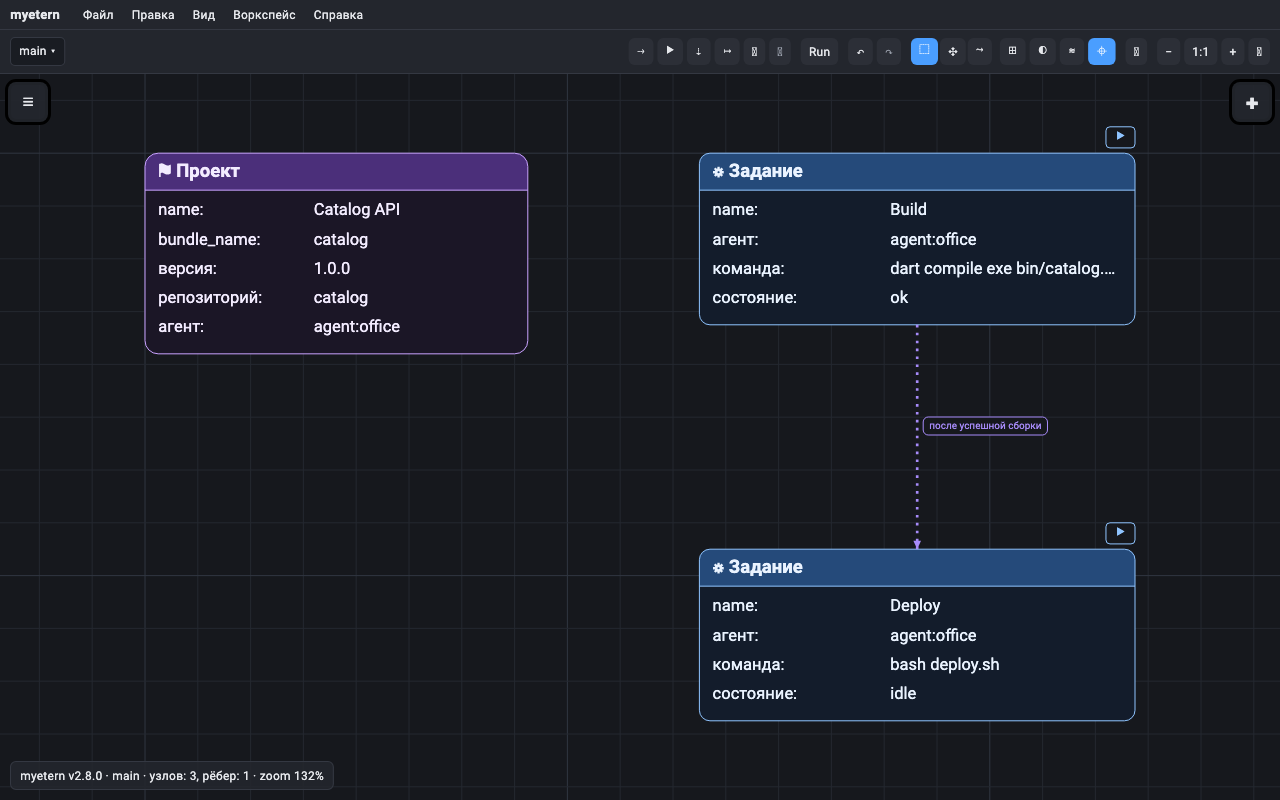
Connect the model to development tools.
- Source code structure and an editor with LSP support through the agent.
- Project versions, build jobs and action sequences.
- Tracker tasks alongside diagrams and code.
MYETERN / Software engineering
Teams, agents and AI tools
Shared context with access control.
- Real-time collaboration, roles, layers and snapshot history.
- The agent connects databases, files and approved development tools; query results and selected files are transferred to MYETERN.
- MCP gives Claude Code and other clients canvas access with the user’s permissions.
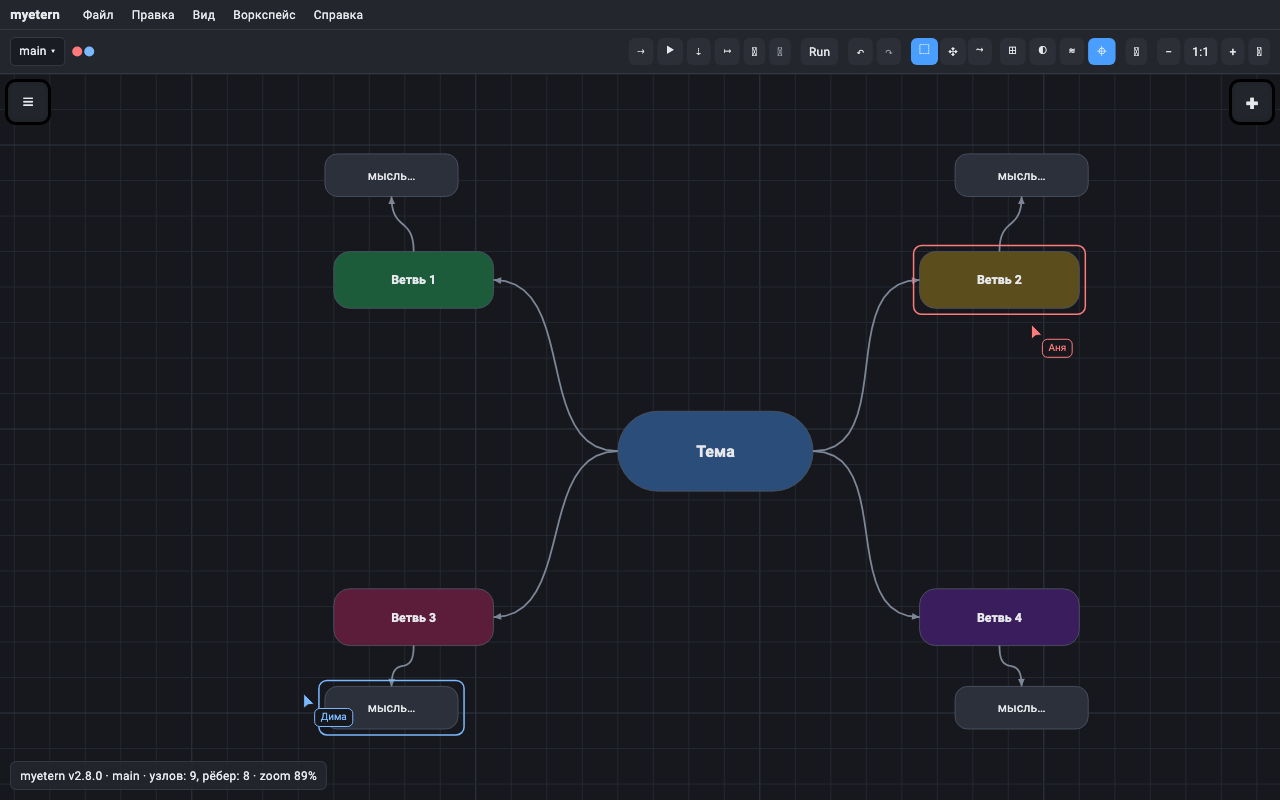
Use ← → to navigate. Print saves all 10 slides to PDF. Application screenshots show the Russian UI.